

Counter
Type an amount, show the QR code, and the screen turns green with your seal the moment the payment settles on NEAR.
For taking a payment in person: a till, a market stall, a client at your desk. Open Counter from the rail, the + button on a phone, or ⌘K.
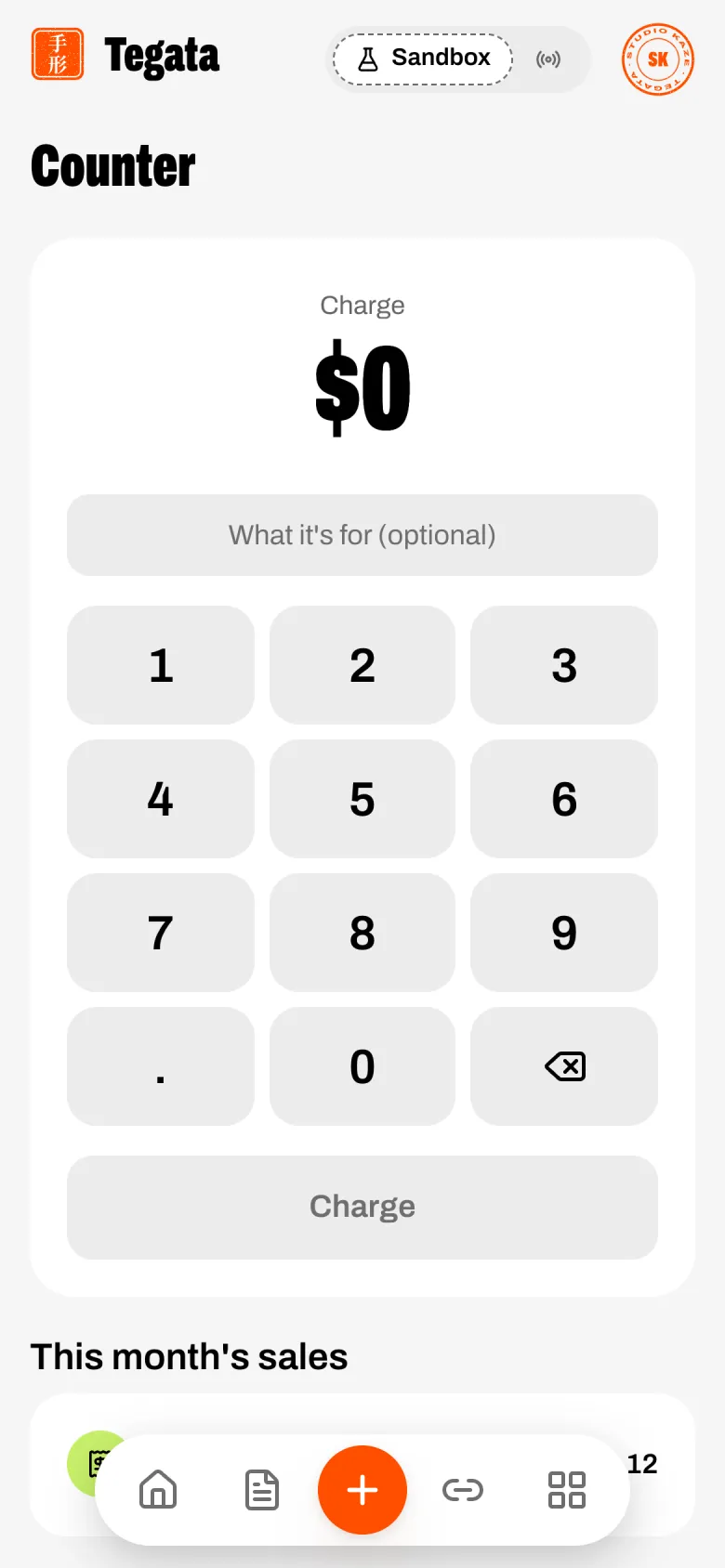
Type the amount on the keypad (two decimals at most), and a note if you want one ("Two flat whites"). The button reads Charge $4.50.
Charge. The stage shows the amount and a QR code of a one-time pay page, with "Scan to pay with USDC on NEAR" and how long it has been waiting. The customer scans it with their phone's camera and pays on the pay page, with a Tegata balance or a NEAR wallet.
Paid. When the payment settles on NEAR, the stage turns green, your seal presses PAID and the received sound
plays. New sale clears the keypad for the next one.
Cancel leaves a sale unpaid and goes back to the keypad.
This month's sales
Under the keypad, every counter sale this month with its note, time, amount and Paid or Not paid. Each opens its pay page; a paid one shows your seal and the customer's receipt.
Each sale is a one-time checkout, so it also appears in Activity, gets a numbered receipt,
and sends payment.succeeded to your webhooks like any other payment.
Pay links
One link anyone can pay, for a fixed or any amount, with a QR code; each payment appears the moment NEAR settles it.
The pay page
What your customer sees when they open a link or an invoice, designed for phones; two ways to pay, a live price from other chains, and paid only when NEAR says so.